Zwei Tabs, ein FensterTwo tabs, one window
YouTube und YouTube Music laufen parallel. Wechselst du zu Videos, spielt die Musik einfach weiter.YouTube and YouTube Music run side by side. Switch to videos and the music keeps playing.
 Playtube
Für Windows 10 & 11 · kostenlosFor Windows 10 & 11 · free
Kein Browser-Tab, keine Erweiterung. Beide Dienste laufen nebeneinander in einem Fenster, die Musik spielt im Hintergrund weiter – und Discord zeigt, was du gerade hörst. No browser tab, no extension. Both services run side by side in one window, music keeps playing in the background – and Discord shows what you're listening to.
Version · aktualisiert sich selbst Version · updates itself
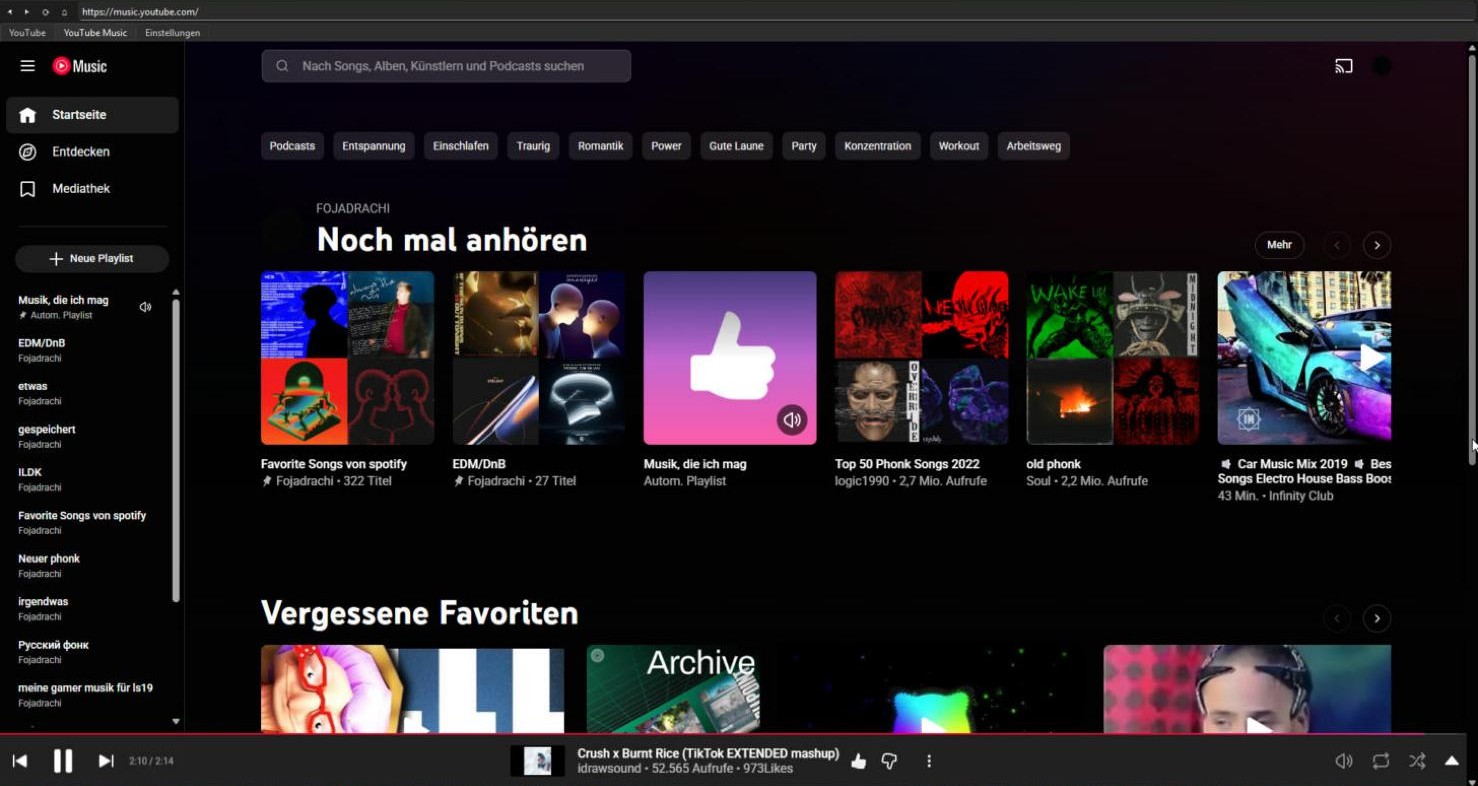
YouTube und YouTube Music laufen parallel. Wechselst du zu Videos, spielt die Musik einfach weiter.YouTube and YouTube Music run side by side. Switch to videos and the music keeps playing.
Eigenes, dauerhaftes Profil. Einmal bei Google anmelden reicht für beide Dienste – du bleibst eingeloggt.Its own persistent profile. Sign in to Google once for both services – and stay signed in.
Titel, Kanal oder Interpret, Fortschrittsbalken und ein Link-Button erscheinen in deinem Discord-Profil.Title, channel or artist, a progress bar and a link button show up in your Discord profile.
YouTube und YouTube Music auf verschiedene Geräte legen, z. B. getrennte SteelSeries-Sonar-Kanäle.Send YouTube and YouTube Music to different devices, e.g. separate SteelSeries Sonar channels.
Play/Pause, Skip, Lautstärke, Like und Playlists per Stream-Dock-Plugin – lokal, ohne Netzwerk-Port.Play/pause, skip, volume, like and playlists from the Stream Dock plugin – local only, no network port.
Fenster schließen minimiert nur. Play/Pause und Skip direkt aus dem Tray-Menü.Closing the window just minimizes it. Play/pause and skip right from the tray menu.
Playtube prüft selbst auf neue Versionen und installiert sie auf Wunsch mit einem Klick.Playtube checks for new versions itself and installs them with one click.
Dank der Microsoft-Edge-Engine (WebView2) spielen auch selbst hochgeladene Songs in YouTube Music.Thanks to the Microsoft Edge engine (WebView2), your own uploads in YouTube Music play too.
Keine eigenen Server, kein Konto, keine Werbung, keine Analyse. Deine Daten bleiben auf deinem PC.No servers of its own, no account, no ads, no analytics. Your data stays on your PC.
Playtube-Setup-vX.Y.Z.exe herunterladen und starten – keine Admin-Rechte nötig.
Download and run Playtube-Setup-vX.Y.Z.exe – no admin rights needed.
Ohne Installation: das ZIP Playtube-vX.Y.Z-win64.zip entpacken. Voraussetzung: Windows 10/11 mit WebView2-Runtime (unter Windows 11 vorinstalliert).
No install: extract Playtube-vX.Y.Z-win64.zip. Requires Windows 10/11 with the WebView2 runtime (preinstalled on Windows 11).